
We shipped an update to the SpiceDB Playground. The UI got a refresh, the tab system was reworked, and a handful of devex improvements landed based on user feedback. It's easier than ever to try SpiceDB directly in a web browser. Nothing to install!
My personal highlight: you can now edit your schema and relationships in the same view. No more flipping between tabs while you iterate. Just adjust a relation in the schema and tweak the relationships that exercise it without losing your place.
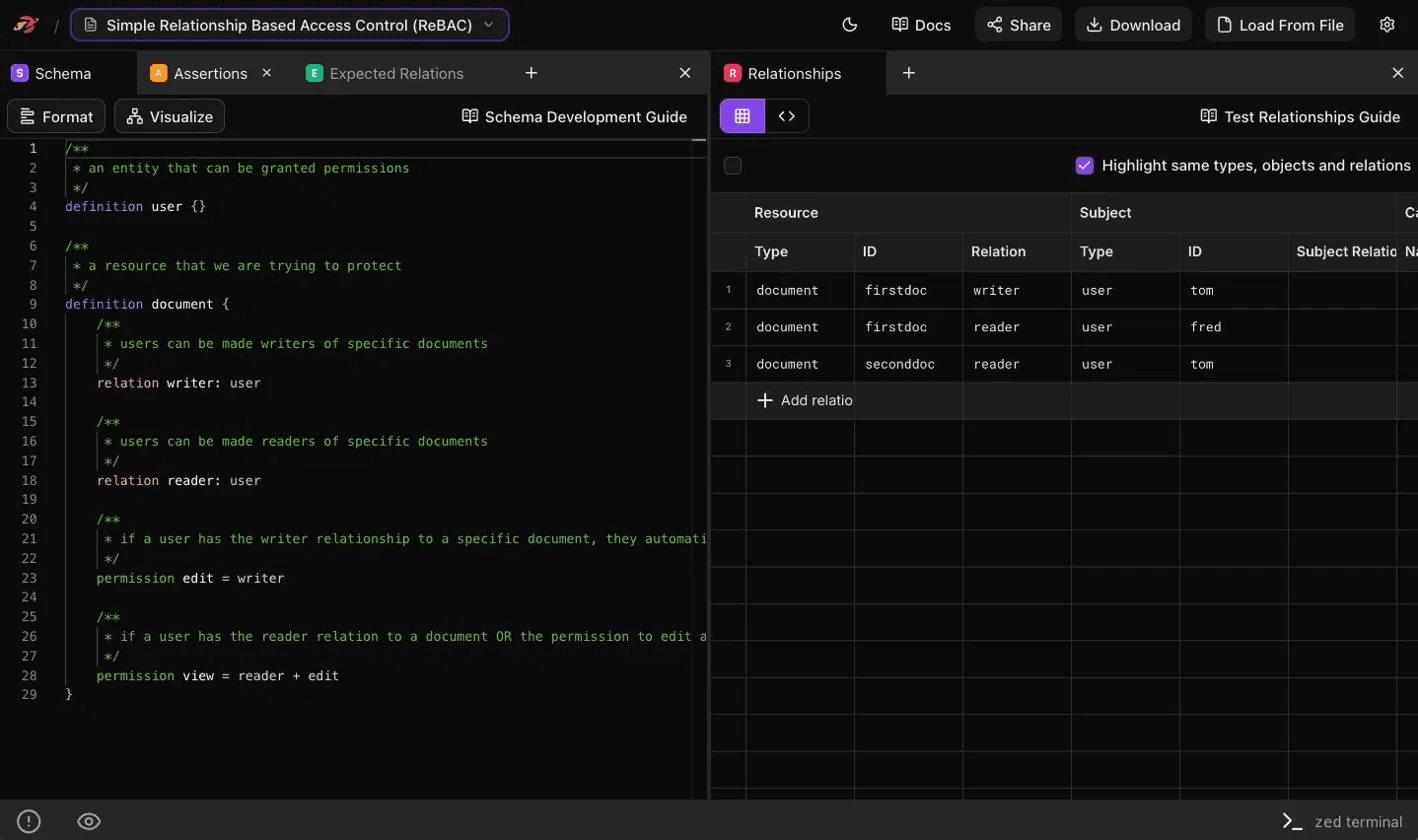
What the Playground does
If you're new to the SpiceDB Playground, here's what you can do in there:
- Explore example schemas. A library of working ReBAC models you can open and read. Often the easiest way to pick up a pattern is to look at one that already works.
- Write your own schema. An editor for the SpiceDB schema language, with formatting and a graph visualizer for seeing how types and relations connect.
- Define relationships and assertions. Populate the model with the data it operates on, then write assertions that pin down what should and shouldn't be allowed. The assertions act as a regression suite when you change the schema.
- Run real permission checks. A build of SpiceDB is compiled into the page itself. Checks return the same answers a production cluster would.
- Use the zed CLI in your browser. The official command-line client is wired in too, so you can drive your model from a terminal if you'd rather work that way.
- Share your workspace. Schema, relationships, and assertions travel together in a link, useful for handing a teammate a model or sharing an example.
Try it
If you're new to SpiceDB, the Playground is the easiest way to start. We've added a few new example schemas in this update so there are more starting points to learn from.