
Take a second to reflect on the complexity of Access Permissions on GitHub.
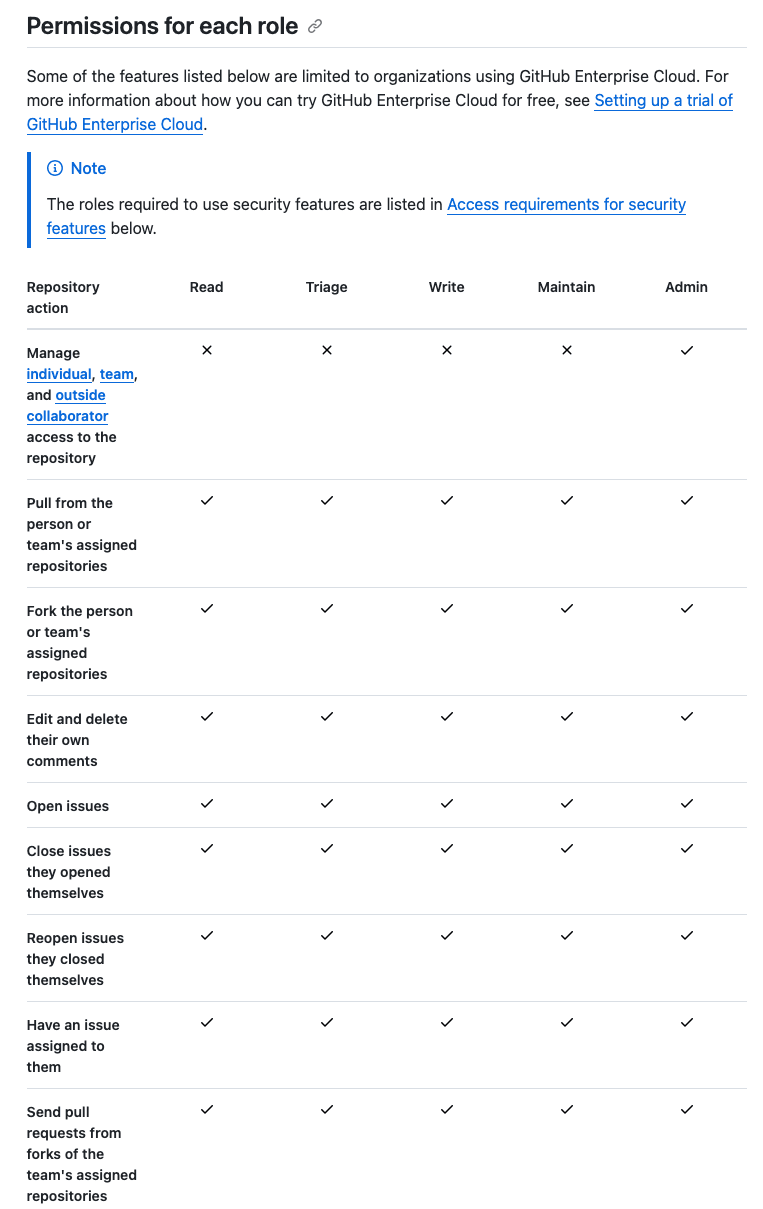
Imagine you're a GitHub org owner. You can delete any repository in the org, edit billing, and merge any pull request without the need to explicitly configure these on each individual repo. And that's because GitHub's permission model is built on layers: tiered roles like Reader, Writer, and Admin intersect with account structures to govern everything from issue tracking to repository settings. Permissions flow naturally from organizational ownership and team hierarchies down to the individual resources.
Modeling such a complex system sounds like an impossibly hard problem to solve, and then there's the engineering challenge of scaling it to the size of GitHub.
That's where SpiceDB + AuthZed Cloud comes in. SpiceDB is an open-source database system for security-critical app permissions, and uses Relationship-Based Access Control (ReBAC) for permission checks. You can deploy SpiceDB on AuthZed Cloud to provision, manage, and scale your authorization on demand.
In this post I'll show how you can model a complex GitHub-style permission system and deploy it to AuthZed Cloud. You can use this as inspiration for similar authorization challenges you might encounter.
Start with what you're protecting
Let's start with the foundationals.
GitHub's model has four main objects: users, organizations, teams, and repositories. The thing most users care about is:
- pushing code
- merging PRs
- opening issues
All these happen on repositories. So let's define our first objects - a user and a repository and work outward from there.
definition user {
}

definition repository {
}
Roles are nouns; permissions are verbs
A relation defines how two objects (or an object and subject) can relate to one another. For example, a reader on a document, or a member of a group. A permission defines a computed set of subjects that have a permission of some kind on the object. For example, is a user within the set of users that can edit a document.
Going back to our example, GitHub gives repositories five access levels:
- Reader
- Triager
- Writer
- Maintainer
- Admin
Here's how these would map to a SpiceDB schema with relations and permissions:
definition repository {
    relation organization: organization

    relation reader: user | team#member
    relation triager: user | team#member
    relation writer: user | team#member
    relation maintainer: user | team#member
    relation admin: user | team#member
    ...
}
The team#member syntax is worth understanding. Rather than granting a permission to a team as a whole, we're granting it to the members of that team at query time, and not write time. When someone joins or leaves the team, their repository access updates automatically.
Now, GitHub doesn't check whether you're a "reader" when you click Clone. It checks whether you have clone permission. The permissions layer is where roles combine:
permission clone = reader + triager + push
permission push = writer + maintainer + admin + organization->owner

permission read = reader + triager + writer + maintainer + admin + organization->owner
permission delete = admin + organization->owner

permission create_issue = read
permission close_issue = triager + writer + maintainer + admin + organization->owner

permission merge_pull_request = maintainer + organization->owner
Notice that clone is defined in terms of push, not the other way around. Anyone who can push can obviously clone, and if you later add a new role to push, they automatically get clone too. Change it once; the rest follows.
The other thing worth understanding: organization->owner appearing on repository permissions is the arrow operator. SpiceDB schema supports Operations such as union, intersection, exclusion and arrows.
The '->' operation indicates 'find the organization this repository belongs to, then check who has the owner relation on that organization'. Org owners inherit repository permissions without ever being explicitly granted them on each repo. That's exactly how GitHub behaves, and thanks to the flexibility of the SpiceDB scheme you can get there in one line.
Granularity is a bet on the future
Let's take a look at GitHub's settings page. On first glance this page has dozens of options which may sound daunting if you're modelling each one as a separate permission.
But you can actually achieve it with just two permissions:
permission manage_setting = maintainer + admin + organization->owner
permission manage_sensitive_setting = admin + organization->owner
The logic here is: we don't need more permissions than users with different access needs. If everyone who can configure webhooks can also configure branch protection, one permission covers both. Add granularity when you actually have a use case for splitting it.
The exception is when you know the split is coming in your product roadmap. If you're building a SaaS where billing will eventually be a distinct surface, you can model manage_billing now. Retrofitting fine-grained permissions after shipping means touching both schema and application code. Here's a nice read on if your fine-grain permissions are too fine?
Org ownership bleeds into repos
In GitHub, an organization is an object which a user is a part of (and hence has a relation to). Let's define an organization object along with the relevant relations and permissions:
definition organization {
    relation own: user
    relation member: user
    relation billing_manager: user
    relation team_maintainer: user

    permission owner = own
    permission create_repository = owner + member
    permission manage_billing = owner + billing_manager
    permission change_team_name = team_maintainer + owner
}
billing_manager is a first-class role as regular members can't touch billing. create_repository is on the organization, not individual repos, because a repository doesn't exist yet when you're creating it. And change_team_name is an org-level permission, even though teams are nested objects. That last one will make more sense in a second.
Teams are the interesting part
The next object in our schema is a team. Teams add a third layer between users and repositories. The definition is:
definition team {
    relation parent: organization | team
    relation maintainer: user
    relation direct_member: user

    permission member = maintainer + direct_member
    permission change_team_name = maintainer + parent->change_team_name
}
The parent->change_team_name traversal is the payoff.
A team_maintainer at the org level can rename any team, and this permission flows down through the hierarchy automatically. You represent a cross-object permission policy in one line without writing any application code. Teams can also be nested (parent: organization | team). Sub-teams are a thing in GitHub, and the schema handles them without any special cases.
Now that our schema is complete, let's see how we can write relationships to reflect the state of our system.
Write relationships on every state change
If the schema defines the structure of your system, relationships are the data. Whenever the underlying state of your system changes your app should CRUD a relationship.
A few examples:
# User joins the org
organization:authzed#member@user:alice

# User gets write access on a specific repo
repository:spicedb#writer@user:bob

# A support team gets maintainer access on a repo
# (note: team#member, not team — SpiceDB resolves the membership at check time)
repository:spicedb#maintainer@team:support#member

# A repo belongs to an org
repository:spicedb#organization@organization:authzed
That last write is easy to forget, but it's what makes organization->owner on repository permissions actually work. Without it, the repository has no org to traverse into. Checks on org-level permissions will silently fail if there's a floating repository and a floating organization that is not connected.
The general rule: write a relationship tuple whenever a user gets a new role, joins a new team, when a team gets access to a repo, or when a repo is created under an org. Delete the tuple when access is revoked. The permission checks will handle the rest.
Here's the Python code for writing a relationship when user:bob gets write permissions on repository:spicedb
RelationshipUpdate(
    operation=RelationshipUpdate.Operation.OPERATION_CREATE,
    relationship=Relationship(
        resource=ObjectReference(object_type="repository", object_id="spicedb"),
        relation="writer",
        subject=SubjectReference(
            object=ObjectReference(
                object_type="user",
                object_id="bob",
            )
        ),
    ),
),
Taking it live on AuthZed Cloud
It's time to deploy our Permissions System, and we can use AuthZed Cloud to do so.
Sign into AuthZed Cloud, create a Permissions System, and pick Development to start. Once it's provisioned, create a Service Account (call it something like github-model) and generate a token for it.
Create a Role with the permissions your application needs:
ReadSchema
WriteSchema
WriteRelationships
ReadRelationships
CheckPermission
Bind the role to the service account via a Policy, and you're ready.
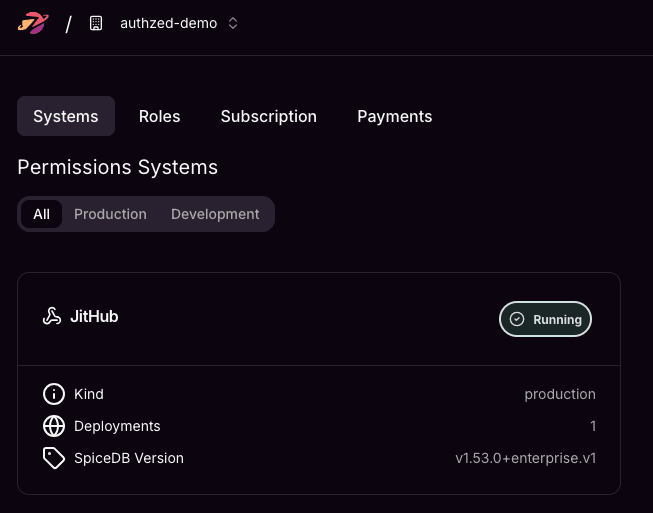
Using the zed CLI to test it out:
# Write the schema
zed schema write schema.zed

# Write some test relationships
zed relationship create repository:spicedb writer user:alice
zed relationship create repository:spicedb organization organization:authzed

# Check a permission
zed permission check repository:spicedb push user:alice
That last command returns true or false. That's what your application calls before allowing a git push, a PR merge, or a settings change.
In production, you can swap the zed CLI calls for a SpiceDB client in your language of choice. Authzed ships clients for Go, Python, Java, and Node. You can also choose the scale and regions in which you want your Permissions System to run in.
Here's the entire schema discussed above in the AuthZed Playground.
Modeling authorization systems such as this one forces real decisions: how org-level roles flow into repos, when a "team" is the right primitive instead of an individual user, where to draw the line on granularity. With SpiceDB, it's easy to answer those questions in schema, not scattered across custom conditional code embedded in your application.
Check out the AuthZed Cloud Starter program to receive $700 in AuthZed Cloud credits and see the value of scalable authorization infrastructure.